

Knowledge Center
Discover videos, tutorials and best practices for successful streaming solutions.
Getting Started
Github: Code samples and more
Welcome to the official developer hub for nanoStream: a platform that enables ultra-low-latency, interactive live video experiences that engage audiences anywhere, any time.
Partner Integrations
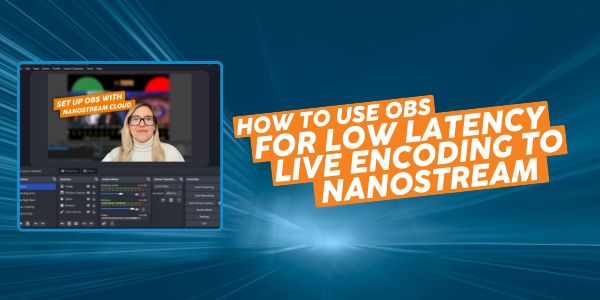
Low Latency OBS: How to use OBS for Low Latency Live Encoding to nanoStream
In this article, we will explore how to connect OBS for ultra-low latency with the nanocosmos platform and reduce delay for interactive live streaming purposes. By combining OBS with nanoStream, you can guarantee that your streams will be delivered with ultra-low latency across all browsers globally. Let’s dive in and discover how to optimize your live streaming experience with OBS and nanoStream! Quick answer: To stream from OBS with minimal latency, select nanoStream directly as your streaming service (Settings → Stream → Service → Other → nanoStream), set Rate Control to CBR, Encoder to x264, and Tune to zerolatency. Combined with nanoStream’s global delivery network, this keeps end-to-end latency under one second, glass to glass. Ultra-low latency live streaming, real-time streaming: What, how, why? Live video streaming typically just delivers content in a one-directional way. However, ultra-low latency or real-time streaming allows the audience to participate and interact. The interaction happens, for instance, via chat, Q&A, and polls with the provided content. This is often called interactive live streaming and referred to as a ‘lean forward’ experience, as the audience is an active part of the provided content. To be more specific, technically speaking, you can refer to this as well, […]
Tutorial: Streaming with Teradek Prism and nanoStream Cloud
Teradek Prism encoders are high-performance, enterprise-grade video encoding solutions designed for mission-critical streaming applications. Built to deliver ultra-low latency, high-bitrate video over IP networks, ensuring optimal video quality even in bandwidth-constrained environments. Its modular design, cloud integration, and advanced error correction features make it a versatile choice for professional broadcasters, government agencies, and corporate streaming solutions. Now, nanoStream Cloud seamlessly integrates with the Teradek PRISM SERIES OF ENCODERS, combining Teradek’s state-of-the-art encoding technology with nanoStream’s real-time video delivery. This powerful combination ensures a flawless and ultra-low latency streaming experience for your audience. In this tutorial, we’ll walk you through the setup process step by step. Step 1: Log in to Your nanoStream Account Begin by accessing your nanoStream account via dashboard.nanostream.cloud. When creating a stream, you can add a tag, assign transcoding profiles, and manage stream groups for better organization. Once your stream is created, you’ll receive the stream ingest data required for the next step on the encoder. Step 2: Access the Prism User Interface Open a web browser on a device connected to the same network as the Prism encoder and enter the IP address of the encoder in the address bar. You can find the IP address on the device […]
Seamless Real-Time Streaming: nanoStream and Matrox Monarch Series Integration
nanoStream Cloud, the real-time video streaming platform, now seamlessly integrates with the Monarch EDGE S1 and Monarch Series of encoders from Matrox Video. This collaboration combines the strength of Matrox’s advanced encoding technology with nanoStream’s ultra-low latency video delivery, offering your audience a flawless streaming experience. After successful validation testing with the Matrox Monarch HDX and Monarch EDGE S1, nanoStream works seamlessly across all products in the Monarch Series and the EDGE S1 encoders. Follow this simple guide to set up RTMP streams using the Monarch LCS, HDX, or HD encoders and SRT streams using the Monarch EDGE S1. *SRT is only available on the Monarch EDGE S1. Monarch Series LCS, HD, and HDX support RTMP and RTMPS. Tutorial: Matrox Monarch Encoders and nanoStream Cloud Step 1: Log in to Your nanoStream Account Begin by accessing your nanoStream account via dashboard.nanostream.cloud. When creating a stream, you can add a tag, assign transcoding profiles, and manage stream groups for better organization. Once your stream is created, you’ll receive the stream ingest data required for the next step on the Matrox encoder. Step 2: Access the Matrox User Interface The interface is designed to make the setup process intuitive and efficient. Within […]
How to integrate BirdDog Cloud with nanocosmos
This guide provides step-by-step instructions on how to integrate BirdDog Cloud with nanocosmos API (posted by Jan Grimestad, BirdDog Cloud). By following these steps, users can easily set up a new connection, select the appropriate endpoint, configure encoder settings, and connect their NDI source. This guide is useful for anyone looking to seamlessly use BirdDog Cloud with nanocosmos API for streaming purposes. First, get your nanocosmos API key from your nanocosmos account. It can be found here https://dashboard.nanostream.cloud/organisation Connect to nanocosmos API to access multiple stream names Under Company settings, enter the Api Key in the “API Key” field. Remember to save the changes to the Company settings. Goto “Connections” to set up a new connection Select your Endpoint “Ryzen Linux II” Create a new connection Select the “Plain SRT” connection type Click on the refresh button to fetch your Nanocosmos stream. This will get all streams you have set up in your Nanocosmos account. Click on the dropdown to list your streams and select the one you want to publish your SRT stream to. This will configure our encoder with the correct SRT ingest url and stream id automatically, then click on encoder profile and select the “Nanocosmos profile” […]
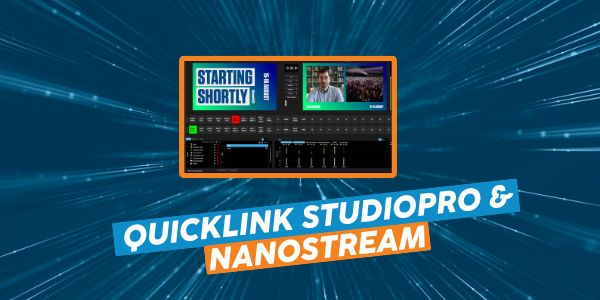
How to combine Quicklink StudioPro & nanoStream
The original article was published by Quicklink, 2023 By combining Quicklink Cre8 and nanoStream Cloud you can use a powerful, yet easy-to-use platform for creating professional, on-brand productions like virtual, in-person and hybrid events and stream to nanoStream Cloud, a unique real-time streaming platform and API, offered as an 24/7 end-to-end solution based on ultra-low latency. Backed up by a robust and reliable Content Delivery Network (CDN), it covers browser-based player, advanced analytics and stream protection. Back to Quicklink Cre8, you can easily build, edit and customize your professional-looking production. Here you can learn how it works step by step. You can start a 7-day free trial of nanoStream Cloud, here. ⬤ Setting up your stream in nanoStream Cloud To achieve this, first visit the nanoStream Cloud login and sign into your account. Then once in the dashboard, click CREATE NEW STREAM ⬤ Ensure that RTMP is selected, then add any Stream Tags if required. Click CREATE NEW STREAM. ⬤ Returning to Quicklink Cre8, open the settings by clicking the icon. ⬤ On the Stream tab of Settings, below RTMP, click ADD TARGET. ⬤ Enter a friendly name for your Stream (i.e nanoStream Cloud) Paste the RTMP INGEST URL copied […]

Streaming with Osprey Talon and nanoStream
In this article, you learn how to configure the Osprey Video Talon 4K Contribution encoder with nanoStream Cloud, for ultra-low-latency live streaming with the highest video quality. You can read more about this partnership here. With over 50 years of combined experience in the streaming industry, both Osprey Video and nanoStream Cloud are leading providers in their respective areas. Osprey Video, a company specializing in live video encoder hardware, has made it their mission to provide a seamless and secure delivery of streams to dynamic platforms such as nanoStream Cloud. The partnership between the two companies is built on a strong foundation of expertise and innovation, and has resulted in a powerful combination of hardware and software that works together seamlessly to provide high-quality streaming experiences. The reliable and efficient hardware provided by Osprey Video combined to advanced features of nanoStream Cloud, results in a top-notch streaming solution for interactive video experiences and audience engagement. Let’s get started! Supported protocols RTMP, SRT and WHIP. What you need An Osprey Talon Encoder (Osprey Talon 4K-SC) A nanoStream Cloud Account (Stream Name) A web browser to access the Osprey Video Encoder Getting started Login to your Osprey device (default login is admin […]