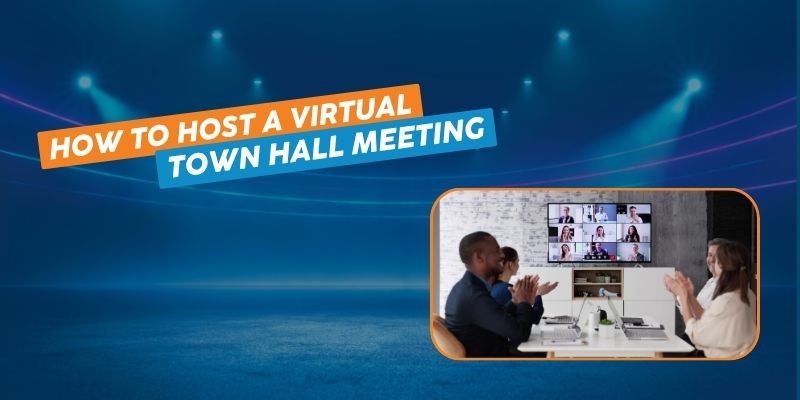
Virtual town hall meetings bring the reach and immediacy of live video to one of the oldest formats for aligning a group: people gathering to hear updates, ask questions, and respond in real time.
Town hall meetings are a tried-and-true way to bring people together and drive alignment. From their origins in 17th-century politics to today’s corporate, academic, and government use, they’ve proven effective across countless settings.
Today, employees, investors, and citizens expect the option to join virtually. The shift brings real advantages: wider accessibility, lower cost, and no travel or venue logistics to manage.
But going virtual introduces a new challenge. A general-purpose video call tool can host a small meeting fine. It wasn’t built for real-time interaction at scale: live polls, Q&A, hand-raising, with hundreds or thousands of participants. That’s a streaming infrastructure problem, not a video-call problem.
Quick answer: For large-scale virtual town halls, the platform matters more than the video-call tool. The nanocosmos platform via nanoStream delivers ultra-low latency and global reach through its own CDN, powered by MOQ. Thousands of participants can interact in real time instead of just watching a broadcast.
In this guide, we cover what a virtual town hall is, the benefits of going virtual, the technical requirements that actually matter, and how to plan one from start to finish.
Table of contents
- What Is a Town Hall Meeting?
- Benefits of Virtual Town Hall Meetings
- Technical Requirements for Conducting a Virtual Town Hall Meeting
- Low-latency streaming technologies for greater interaction at large-scale meetings
- How to Plan and Conduct a Virtual Town Hall Meeting
- Virtual Town Hall Platforms Built on nanoStream
- How to start with nanoStream
What Is a Town Hall Meeting?
A virtual town hall meeting takes the traditional format online: a group gathers to hear updates and respond in real time, using video streaming and interactive tools instead of a shared room.
Town halls started as a way for citizens to raise issues directly with local government. The format stuck because it works: people show up, ask questions, and get answers on the spot. Today, most town halls are corporate. Employees and executives use them to share updates, align on goals, and build a sense of connection that email and Slack can’t replicate.
A typical virtual town hall runs on a few core capabilities: real-time video, screen sharing, live polls and Q&A, breakout rooms for smaller discussions, and live captions or translation to keep the event accessible across languages and abilities.
Examples of Town Hall Meetings
Other types of town hall meetings today include:
- Employee Onboarding: Town halls can streamline the onboarding process for new hires at large companies. Company leaders can introduce themselves, outline company culture, and answer questions about benefits and policies.
- Investor Relations: Publicly traded companies often hold collaborative meetings to communicate financial results, address investor concerns, and connect with shareholders across the globe.
- Educational Institutions: Campus town hall meetings have become a great tool for connecting college administrators with students and driving transparency.
- Community Outreach: Local government officials often host town hall meetings to discuss city planning initiatives, budget proposals, or public safety concerns. This allows citizens to ask questions and provide feedback in real time (which is a breath of fresh air given the bureaucracy of most government processes).
- Emergency Preparedness: During natural disasters or public emergencies, virtual town halls offer a platform for officials to provide updates, share safety protocols, and answer community concerns. This is another reason why virtual town halls became such a crucial means of sharing information during the pandemic.
- Educational Sessions: Public health departments rely on town hall meetings to educate residents about disease prevention, vaccination programs, or mental health resources. Interactive elements like polls and Q&A can enhance engagement when these are done in a virtual setting.
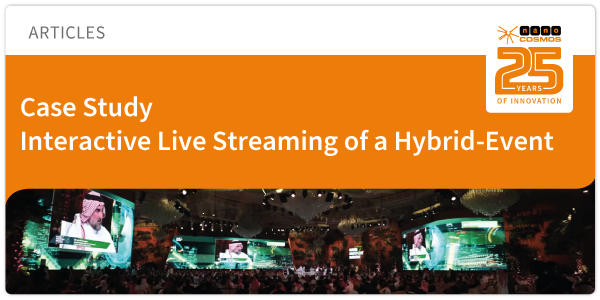
- Forum: Event to discuss trending topics in an interactive format, e.g., for public affairs purposes to work. These could be related to e.g. economic issues, environmental and climate change topics, education and healthcare. Example of a hybrid event, executed with interactive streaming.
Benefits of Virtual Town Hall Meetings
Hybrid work and geographically spread teams have made virtual town halls a mainstay rather than a novelty. Done right, they drive better engagement than the in-person version ever did, with far less overhead for hosts and attendees.
Here’s what going virtual actually gets you:
- Wider accessibility: Instead of limiting participation to whoever can attend in person, virtual town halls open the door to anyone with an internet connection. People join from wherever they’re comfortable, which levels the playing field for anyone who couldn’t easily make it to a physical event.
- Better engagement: Polling, breakout rooms, and live chat give people who wouldn’t grab a microphone in a crowded room another way to participate. The quiet majority gets a voice.
- Culture building at a distance: These meetings bring people together in a live, video-powered setting they don’t usually share, which builds a sense of belonging that a written update never will.
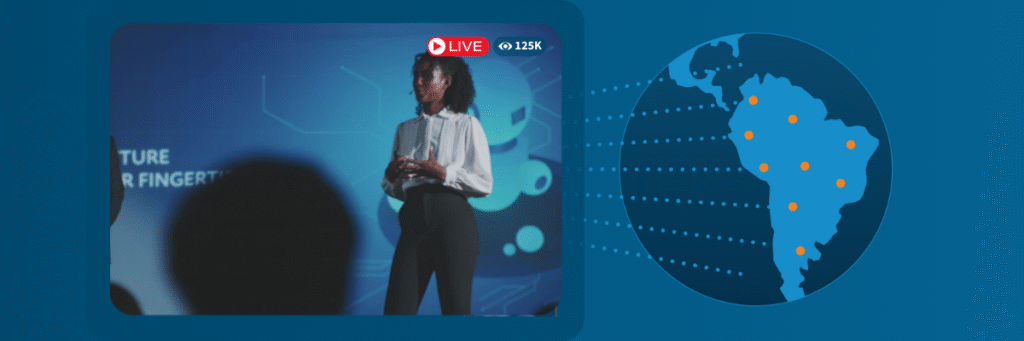
- Real global reach: With the right infrastructure, participants across every region get the same experience, not a degraded one. That matters for multinational companies and large institutions trying to run one meeting instead of five regional versions.
- Lower cost: No venue, no travel, no catering. Getting a distributed workforce in the same room used to be a real line item. Now it isn’t.
Technical Requirements for Conducting a Virtual Town Hall Meeting
Video calls are part of everyday work now, but a town hall is a different scale problem. More attendees means more technical strain, and the more interactive the experience, the harder it gets to hold up. Reliability doesn’t scale automatically. It has to be built in.
This is where a lot of virtual town halls fall apart. The technology is the “virtual” in virtual town hall. If the stream lags or drops, the meeting isn’t just annoying. It’s not happening, at least not for anyone who’s supposed to be participating rather than just watching a delayed video. Latency is what determines whether people are actually interacting with the content or watching it after the fact.
Not every streaming platform is built for this. Plenty of tools handle one-way broadcasts to passive viewers well. A town hall needs the opposite: a real-time streaming platform built for two-way interaction, one that keeps latency low, scales globally without degrading, and supports chat and polling without adding delay.
Low-latency streaming technologies for greater interaction at large-scale meetings
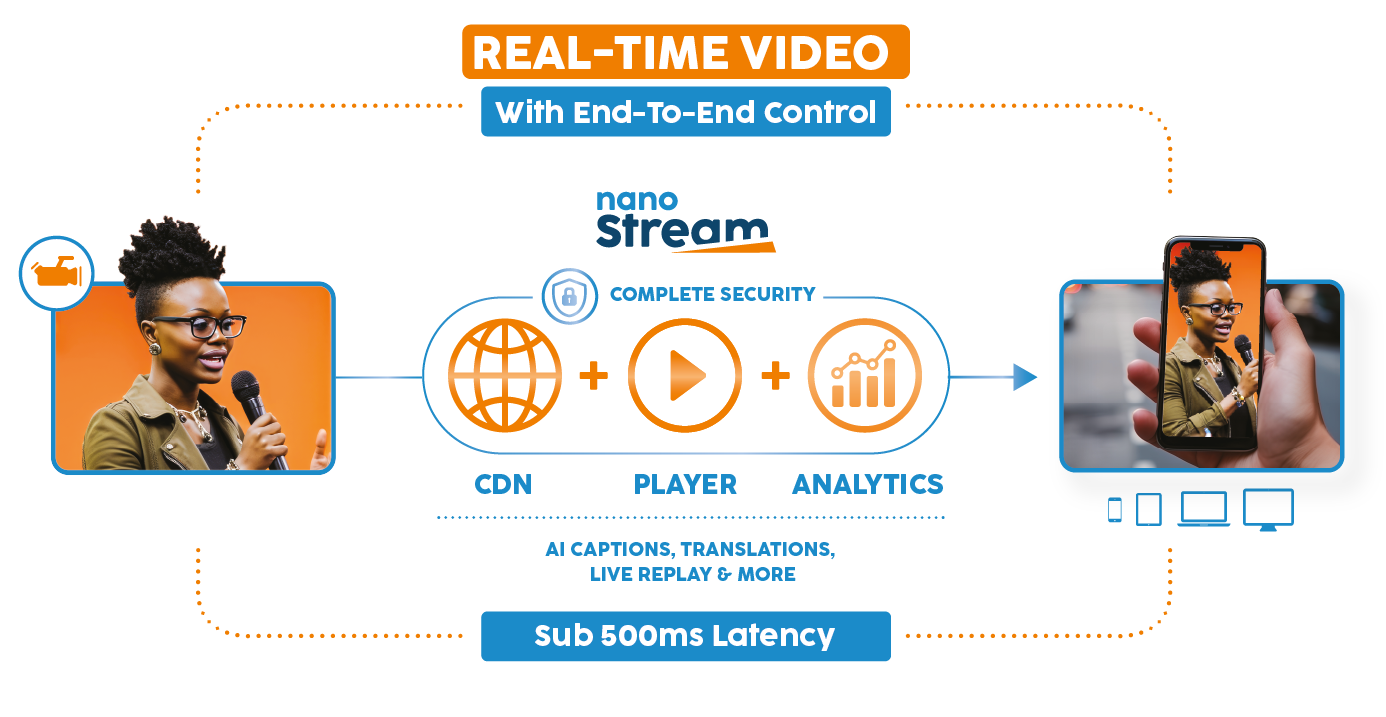
nanocosmos is a real-time video platform built around two cores: nanoStream, which handles delivery, security, and audience experience, and nanoStudio, for cloud-based production. For virtual town halls, nanoStream is the core that matters, since it’s what gets your stream to every participant with minimal delay.
We built nanoStream for exactly this. Global enterprises, academic institutions, and public service organizations run their virtual town halls on it, powered by MOQ (Media over QUIC), a transport protocol built specifically for real-time video. Unlike the older protocols most streaming still runs on, MOQ holds latency under a second even at large scale, so a town hall with thousands of participants performs the same as one with a hundred.
The pattern shows up everywhere this format gets used: a local government streams a town hall and lets citizens raise a hand and ask a question in real time. A company holds its annual general meeting, and every stakeholder feels like they have a voice, no matter where they’re based. None of that works if the stream is a few seconds behind.
How to Plan and Conduct a Virtual Town Hall Meeting
As stated above, technology is the biggest consideration when planning a town hall. From there — as with any meeting or live event — careful planning is key to ensuring that things go off without a hitch.
Here’s how to get the most out of your virtual town hall meeting: before, during, and after the event.
Before the Meeting
- Know your goals. What are you actually trying to achieve? Feedback on a new initiative, answers to questions about a policy change, or just a morale boost? Get clear on this before anything else, since it shapes everything downstream.
- Pick the right streaming platform. This decision matters more than any other item on this list. Look at end-to-end latency, global scalability, and reliability backed by real support, not just uptime on paper. Ease of integration and features like live captions and stream analytics matter too. For a full breakdown of what to weigh, see The Hidden Costs of Building a Real-Time Streaming Platform.
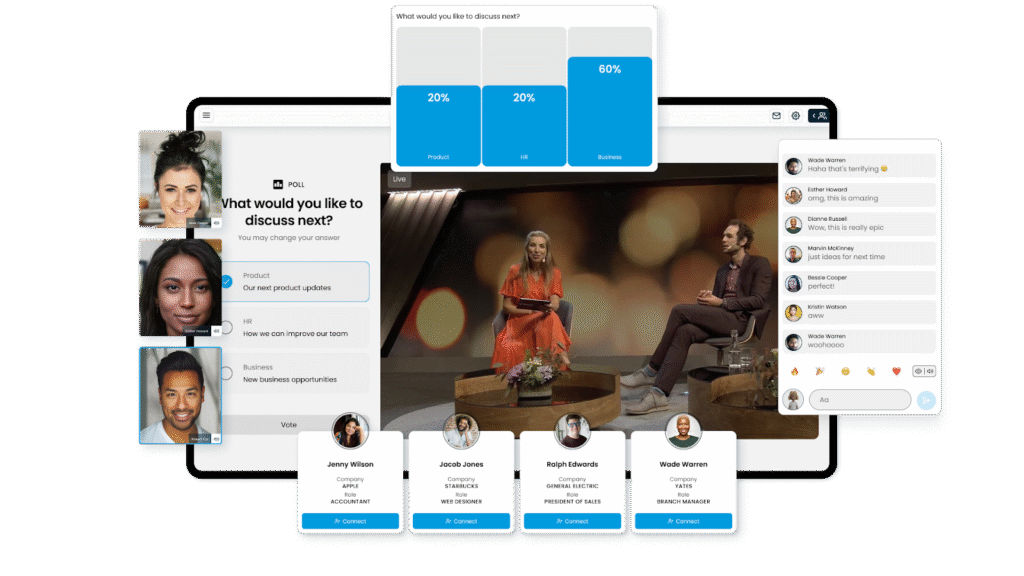
- Build in two-way interaction. Live polls, Q&A, and quizzes turn a broadcast into a conversation. A platform with live metadata support can embed these directly into the stream without adding delay. If you’d rather not run it yourself, an all-in-one event agency can handle everything from invitations to post-event analysis.
- Get the word out. Email, your intranet, social media. Share an agenda ahead of time and invite people to submit questions in advance, so attendees show up prepared.
- Keep the content tight. Town halls work best as a conversation, not a lecture. Keep intro presentations short, skip the jargon, and use visuals to make the content land.
- Appoint a moderator and speakers. The moderator sets the pace, keeps things on schedule, and runs the Q&A. Give each agenda item its own speaker so attendees hear from more than one voice.
During the Meeting
- Open with something light. A quick poll or a trivia question breaks the ice and sets a better tone than diving straight into the agenda.
- Keep it interactive throughout. Quizzes and breakout rooms hold attention better than a straight presentation, but only if the platform underneath has low enough latency for that interaction to feel instant. Capturing and instantly sharing highlight moments during the event keeps energy up for anyone watching live.
- Leave real room for questions. Two-way communication is the entire point of a town hall. Let people submit questions in advance or live through chat, and make sure the Q&A isn’t the first thing cut when time runs short.
After the Meeting
- Record it. Anyone who couldn’t attend gets to catch up later, and you can cut clips for wider distribution.
- Share the takeaways. A follow-up email or intranet post summarizing the key points shows people you were actually listening.
- Close the loop on unanswered questions. If something didn’t get answered live, follow up directly. Leaving it hanging costs you the trust you just built.
Virtual Town Hall Platforms Built on nanoStream
We work with organizations across industries to deliver the real-time streaming technology virtual events need. nanoStream delivers the low latency, reliability, and scalability interactive streaming requires.
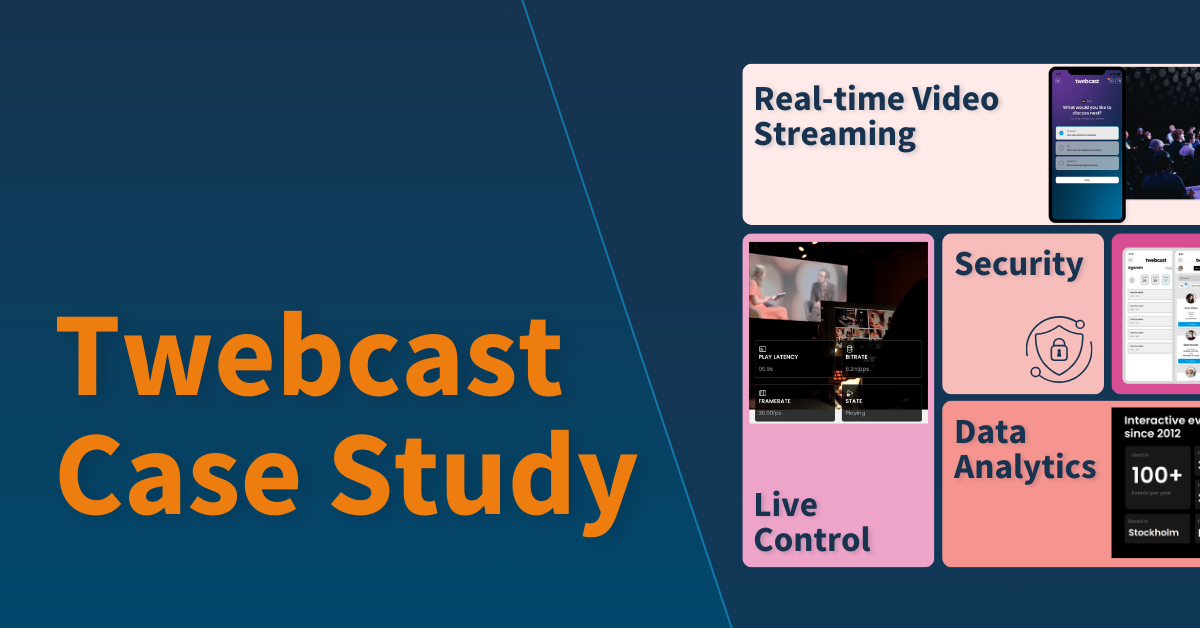
That’s why Twebcast, a Swedish B2B event platform, runs on nanoStream to host GDPR-compliant interactive events for global enterprises.
Twebcast integrates chat, polls, Q&A, live reactions, and gamification with real-time streaming to keep viewers engaged and give them a way to respond instantly. With global stream delivery in under one second, attendees don’t just watch presentations. They shape them.
How to start with nanoStream
nanoStream delivers real-time video for virtual town halls at any scale. It’s a full solution with 24/7 support, combining the video technology and services you need for streaming under your own brand, without the guesswork.
Because streaming runs directly from the browser, there’s no need to build out an expensive production studio just to host a town hall. Setup is simple, performance is fast, and you can layer in interactive overlays as you need them.
With nanoStream, you get:
- Instant browser streaming: Go live right from your browser with nanoStream Webcaster, a browser-based encoder accessible through the nanoStream Dashboard and API. No separate encoding software required.
- A global CDN built for this: 1,000+ servers worldwide, 100% uptime SLA, 24/7 operation. Your audience engages from anywhere without a degraded experience, whether that’s 50 people or 5,000.
- An adaptive real-time player: Our embeddable player delivers ultra-low latency powered by MOQ with adaptive bitrate, so your town hall stays smooth across any network. No buffering, no dropped connections mid-meeting.
- Analytics that actually inform decisions: Full visibility into the workflow, from stream health to audience behavior, so you can prove event ROI to leadership, not just report that it happened.
- Live captions and translation: AI-powered captions and translation mean everyone can follow along, regardless of hearing ability or language.
- Live replay and clip sharing: Let your audience revisit an important announcement instantly, or clip and share key moments in real time to pull in more viewers while the event is still live.
- GDPR compliance built in: As an EU company, your data stays in Europe. For internal communications and shareholder meetings, that’s not a nice-to-have. It’s often a procurement requirement.
- Real support, not just documentation: Our team knows this platform because we built it. Dedicated support is available around the clock, and we partner with you to get the most out of it.
GetVisual, a full-service AV provider running 200+ streaming events a year across Europe, the US, China, and South America, runs on nanoStream for exactly this reason: GDPR-compliant, real-time delivery at global scale, with the analytics and live captioning their enterprise clients expect.
Ready to run your next town hall on a platform built for it? Start for Free.