Quick answer: nanocosmos Builder Hub (builder.nanocosmos.net) is the place to build and run real-time video with AI on the nanocosmos platform. It gives anyone a free account with every platform feature and 50 GB of traffic included every month, no credit card required, plus Agent Skills that let developers build with their own AI assistant (Claude Code, Cursor and others). Builder Hub is open today: you can look around as a guest, test, start streaming, and try nanoStream and nanoStudio tools before you ever create an account.
Create your free account. Access to every feature on the nanocosmos platform, 50 GB of traffic a month, no credit card. Start for Free.
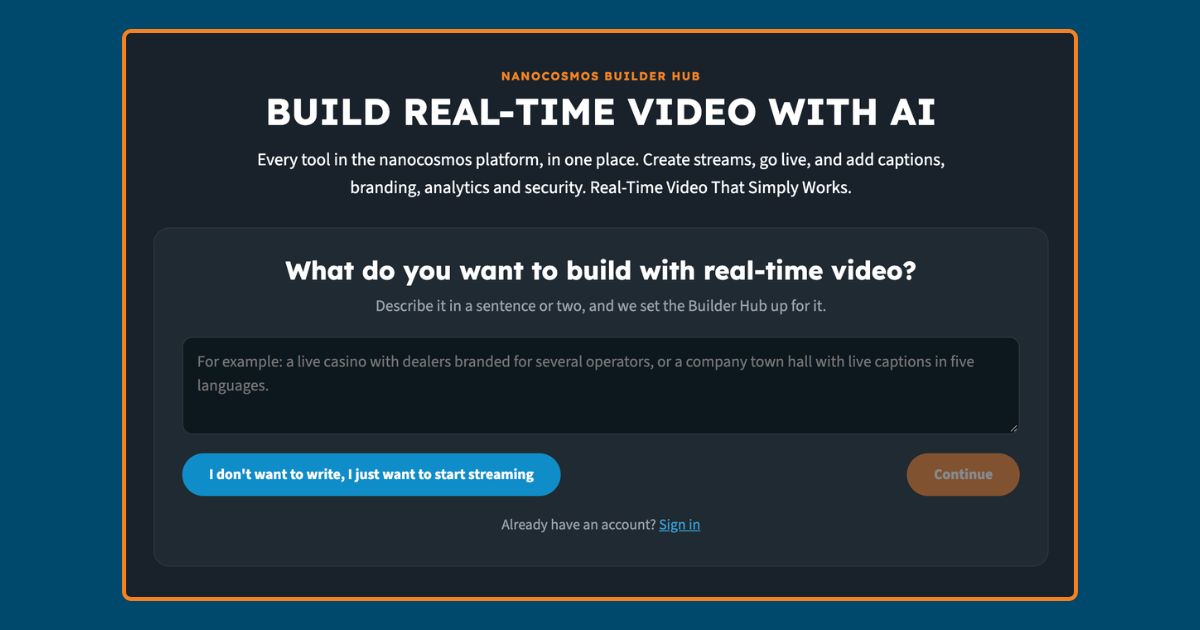
Table of contents
What Is nanocosmos Builder Hub?
nanocosmos Builder Hub is the single place to build real-time video with AI on the nanocosmos platform. Instead of reading about nanoStream and nanoStudio on a product page, Builder Hub puts both cores in your hands directly: you can go live, set up adaptive bitrate, add multi-language live captions, record sessions, switch camera angles, and produce branded chroma-key outputs, all from one hub, at builder.nanocosmos.net.
Builder Hub is built to become the single front door to the whole nanocosmos platform, not a demo page next to it. nanoStream still handles streaming, security and audience experience, and nanoStudio still handles cloud-based production such as Cloud-Based Chroma Key; Builder Hub is where you reach both, describe what you want to build in plain language, or add your real-time video use case, and manage every stream you create. It’s not a place to try the platform; it’s a Hub to build real-time video.
The motto on the hub is simple: build real-time video with AI. That means two things at once. You can use the built-in AI helper inside Builder Hub to configure a stream from a short description of your project. And, separately, developers can connect their own AI coding assistant to the nanocosmos platform using Agent Skills, covered below. Your real-time video becomes reality, no complexity. It simply works.
What the Free Account Actually Includes
The free account is the clearest way to understand what changed with Builder Hub: it is not a trial. Create a free account, and you get every feature on the nanocosmos platform and 50 GB of traffic free every month, with no credit card required.
That is a usage-based limit, not a time-based one. There is no 30-day countdown like the old free trial. The closest comparison is the free tiers of tools like CapCut, Claude or ChatGPT: full access to every tool until you hit the monthly usage limit, then you either wait for the next month or upgrade. When the 50 GB are used up, streaming pauses until the free allowance resets, or you book a package.
Upgrading is a direct next step rather than a new sales conversation: from the free account, you move straight into a paid package and continue immediately, or request a custom quote for larger needs. Our AI agent also estimates a price for your package based on your use cases and own necessities.
Every package still includes the same core delivery stack (the nanocosmos CDN, nanoStream Player, analytics dashboard, RTMP/SRT/WebRTC/WHIP ingest, auto-failover).
See It Live: Builder Hub Is Already Open
Builder Hub is live at https://builder.nanocosmos.net/ today. Prospects and customers can already navigate through it, with or without an account.
Without signing up, a guest mode lets you look around, open demo content and sample data, and see how the hub is organized: a top bar for the platform, Builder Hub, an “All tools” menu, and the Start for Free button; a streams section with list and live-wall views and filters for all, live and not-live streams; and side panels for the AI helper, AI Skills and a guided tour.
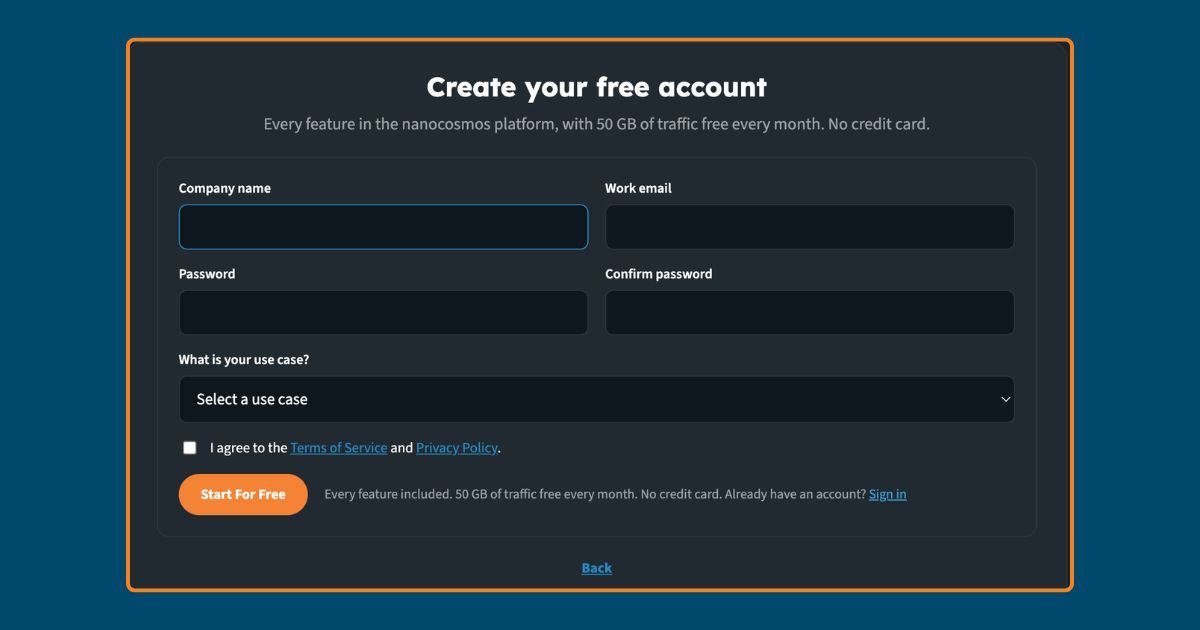
Signing up is just as direct. The hub asks what you want to build, in a sentence or two. It also offers a no-writing option to just start streaming. From there, it is a short registration: company name, work email, a password, and a use case picked from a dropdown (iGaming, horse racing, live auctions, webcasts and educational training, public safety and monitoring, entertainment, or other). Once you are in, features like recording and multi-camera setup unlock, and every tool on the platform is available to try with your own content, not just a demo.
Build On nanocosmos With Your Own AI Assistant
Builder Hub’s AI Skills panel is where the “build real-time video with AI” idea becomes something a developer can actually use. nanocosmos publishes its platform knowledge as Agent Skills: an open format that teaches an AI assistant how the nanocosmos platform works, so it can act on your behalf instead of just explaining documentation back to you.
The skills are built to work with the AI coding assistants developers already use day to day, including Claude Code, Cursor, GitHub Copilot, Codex and Windsurf, along with any other assistant that reads the same open format. Installing them takes one of a few forms: an npx skills add command, a GitHub CLI command, a Claude Code plugin marketplace setup, or simply copying a skill folder or pointing your assistant at its SKILL.md file.
Once installed, the skills cover the tasks developers actually repeat: creating a stream, reading back metrics, diagnosing a playback failure, and setting up branded chroma-key outputs. Credentials belong in an environment file, never pasted into a chat window, which keeps API keys out of the AI assistant’s conversation history. In practice, this means a developer can describe what they want in plain language inside their own editor, and have their assistant configure it correctly on the nanocosmos backend the first time, instead of guessing at API parameters.
Built With Developers in Mind
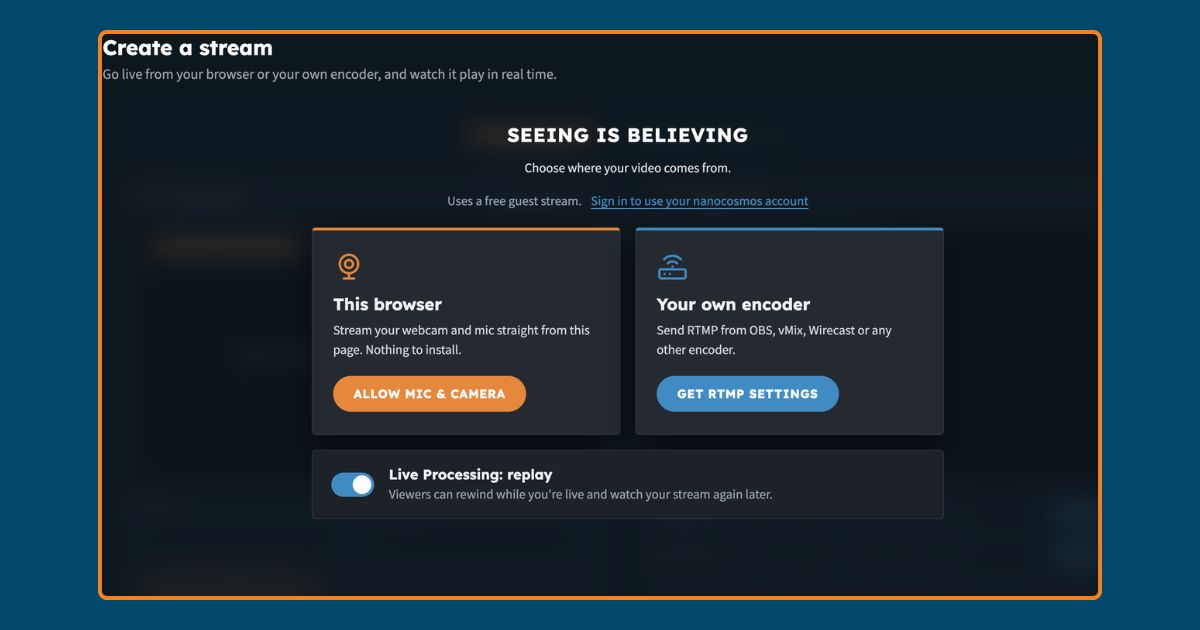
Builder Hub works as a place developers actually build, not only a hub to click through. Alongside the AI Skills panel, it surfaces the pieces a developer needs directly: API keys and access tokens, RTMP ingest settings for encoders like OBS or Wirecast, a direct link to the documentation, and a GitHub repository for the Agent Skills themselves.
That matters because most “how do I build a live streaming app” questions today get answered with do-it-yourself API stacks, not managed platforms. Giving developers their own entry point, their own credentials, and skills they can install in an assistant they already trust is how nanocosmos shows up in that conversation. A developer can open Builder Hub, grab an API key, wire up RTMP ingest, and have a working stream running before reading a single product page.
Who Builder Hub Is For
Builder Hub is not built for one audience or one use case. It is meant to be the way anyone builds real-time video on the nanocosmos platform, whether that means going live for the first time or adding streaming into a product that already exists.
That includes teams with an established real-time video need, such as iGaming and live casino, horse racing, live auctions and corporate events, using the free account to set up a stream directly. It also includes developers and product teams who simply want to add real-time video to an app they are building, with no streaming background at all. Builder Hub’s guided setup and AI Skills exist to take the complexity out of that. Adding real-time video stops requiring a dedicated video engineering team.
In every case, the same free account, the same tools and the same AI Skills apply. Builder Hub does not route people by vertical or company size; it gives everyone the same door in.
This is the same infrastructure already running in production. LiveG24 streams live casino 24/7/365 across Europe on it. GetVisual runs 200+ global corporate events a year on it with 100% uptime. Builder Hub is the same platform, just with a free account and an AI assistant standing between you and your first stream.
Getting Started: From a Guest Look to a Live Stream
- Look around as a guest. Open builder.nanocosmos.net and explore the demo content and sample streams with no sign-up at all.
- Describe what you want to build. Use the short project prompt, or skip straight to streaming if you already know what you need.
- Create your free account. Add a company name, work email and password, and pick your use case from the dropdown.
- Go live or install your AI Skills. Start a stream directly in the hub, or install the Agent Skills in Claude Code, Cursor or another supported assistant and build from there.
- Upgrade when you need to. When your monthly 50 GB is used, move to a package and keep the same setup running.
FAQ
What is nanocosmos Builder Hub?
nanocosmos Builder Hub is the place to build and run real-time video with AI on the nanocosmos platform, at builder.nanocosmos.net. It combines a free account with every platform feature, a guided setup, and Agent Skills for developers who want to build with their own AI assistant. You can try nanoStream and nanoStudio tools directly instead of reading about them.
Is the Builder Hub free account really free?
Yes. The free account includes every feature on the nanocosmos platform and 50 GB of traffic every month. No credit card required. It is usage-based rather than time-based, so there is no countdown like the old 30-day trial. When you use up the monthly allowance, you either wait for it to reset or move to a paid package.
Can developers use AI coding assistants with nanocosmos?
Yes. nanocosmos publishes Agent Skills, an open format that works with Claude Code, Cursor, GitHub Copilot, Codex and Windsurf. Installed through npx skills add, the GitHub CLI, or a Claude Code plugin, they let a developer’s own assistant create streams, read metrics, diagnose playback issues and set up branded outputs on the nanocosmos backend.
Do I need to create an account to try Builder Hub?
No. The nanocosmos Builder Hub has a guest mode that lets you look around. You can see demo content and sample data, and explore the tools with no sign-up. Creating a free account unlocks features like recording and multi-camera setup. It also lets you use the platform with your own content.
What are nanoStream and nanoStudio?
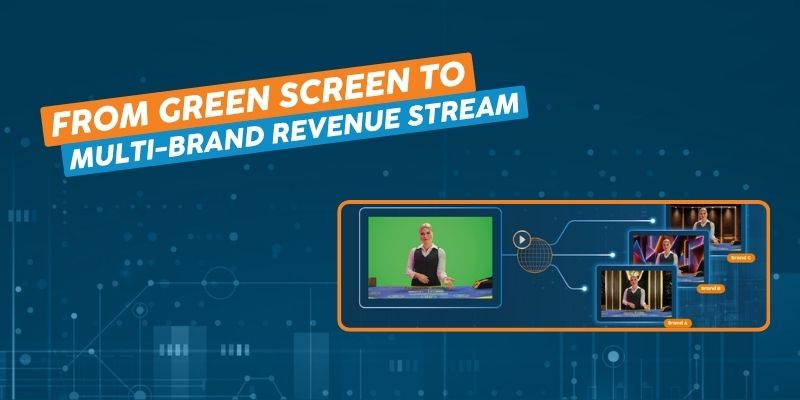
nanoStream and nanoStudio are the two cores of the nanocosmos platform. The nanoStream core covers delivery, security and audience experience for ultra-low latency streaming. The nanoStudio covers cloud-based production, including Cloud-Based Chroma Key for multi-branded outputs from a single feed. Builder Hub is where you use both.
Builder Hub is where nanocosmos stopped being something you read about and became something you open. Look around as a guest, or create a free account. You can also hand your AI assistant the Agent Skills and let it build the first stream for you.
Start for Free at builder.nanocosmos.net.